
Ask and verify
Questions
Once your sources are uploaded and processing is complete, start asking questions and discussing them.
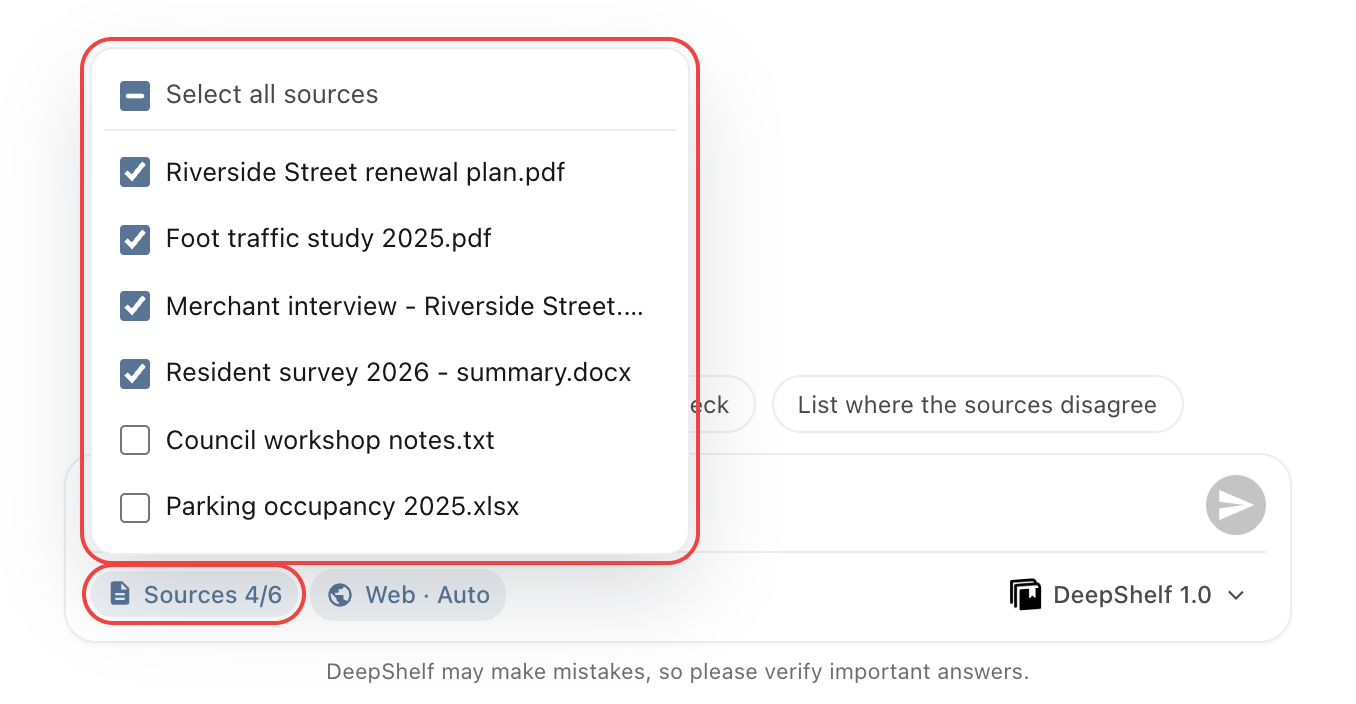
Select sources
Under Sources on the left, select relevant files and uncheck the rest, or click Sources x/y below the input to adjust them quickly. Files become selectable after processing. Each message uses the selection in place when you send it.
Unchecking a file does not remove what has already been discussed. To start a separate question, click New chat at the top of the conversation and check your source selection again.
Send a question
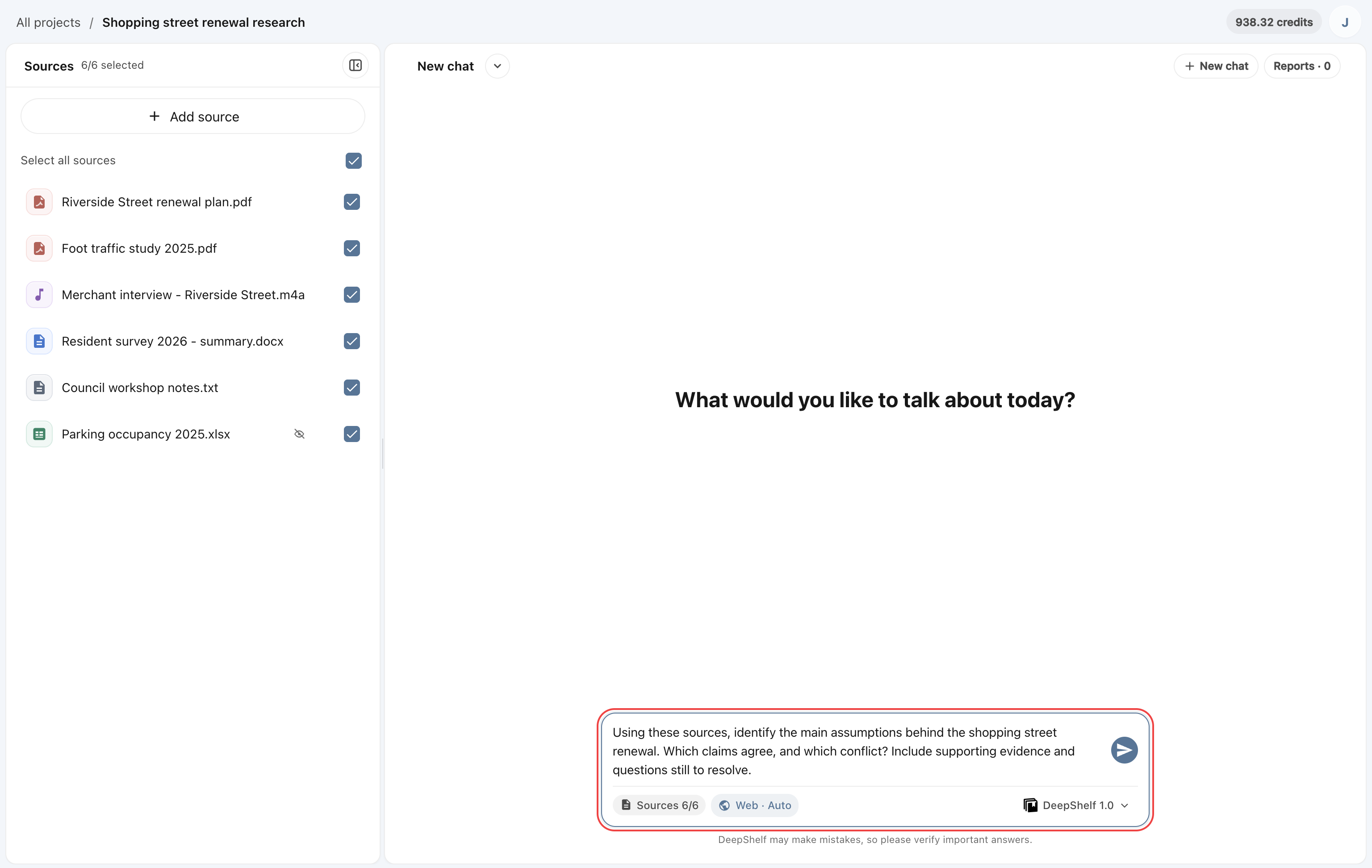
Explain your goal, focus, and preferred answer structure in the input box. Click the send button or press Enter. Use Shift + Enter for a new line.
ExampleUsing these sources, identify the main assumptions behind the shopping street renewal. Which claims agree, and which conflict? Include supporting evidence and questions still to resolve.
Choose another model
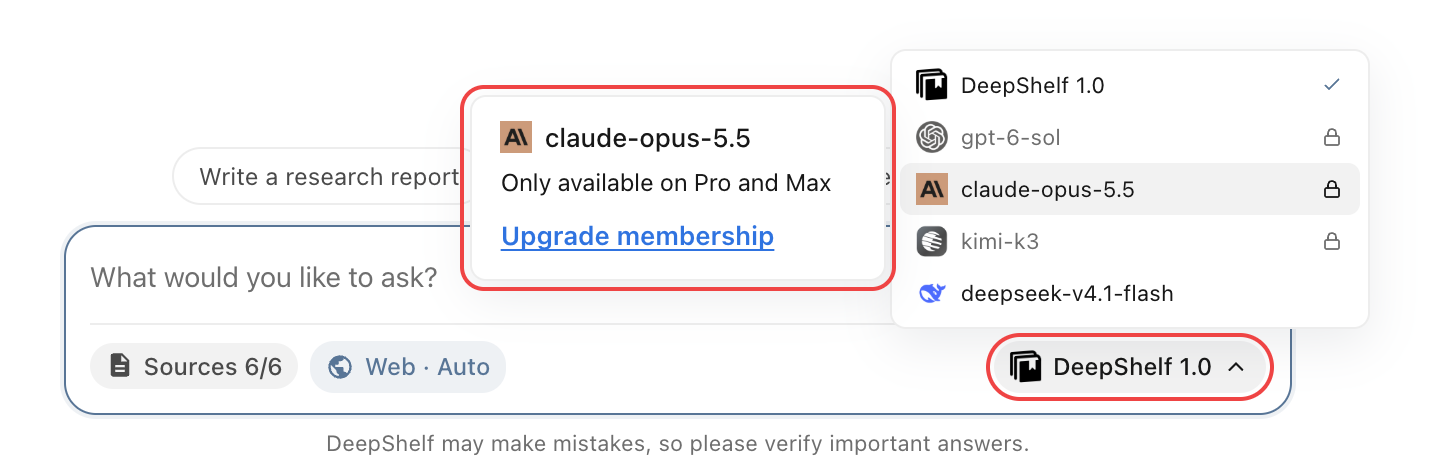
Click the model name below the input to switch models; models with a lock require a plan upgrade. Web · Auto means web search is on and the model decides when to search. Check conclusions about your project against its sources.